SPC Printer
Sign your master — inside the spectrum.
“Proof of authorship, printed in frequencies.”
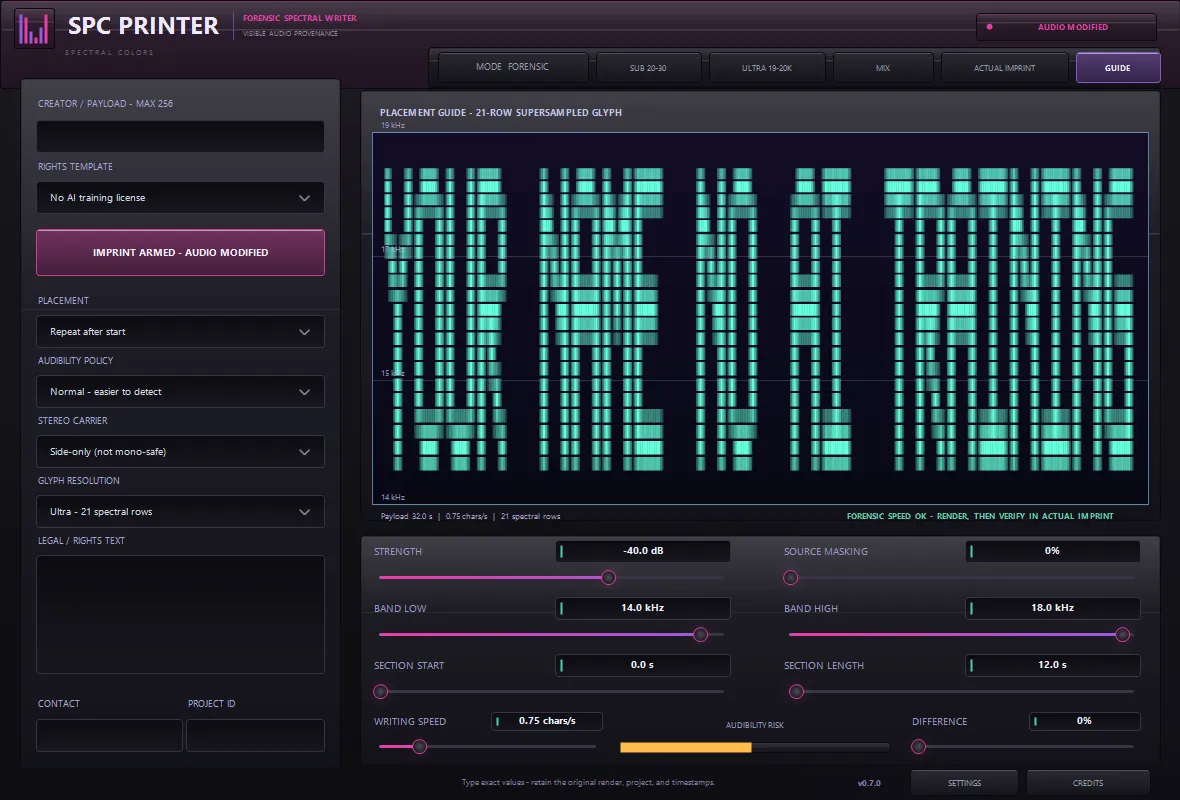
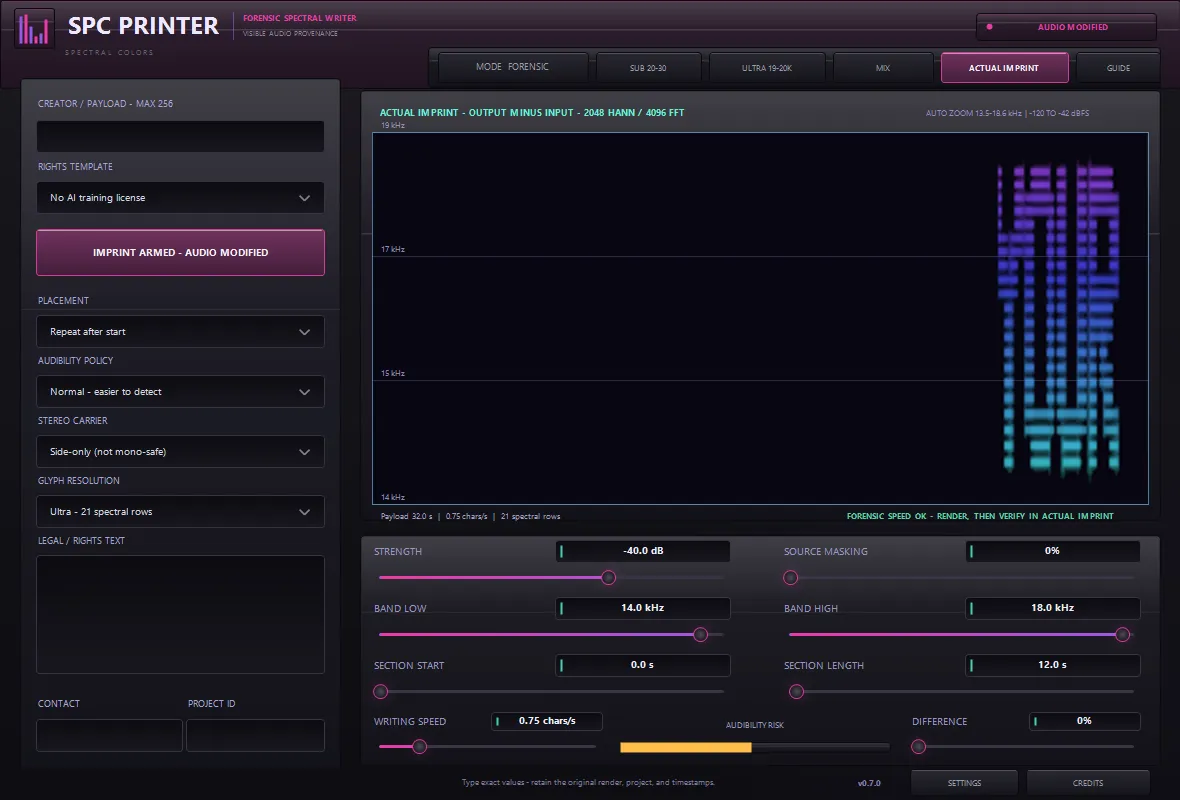
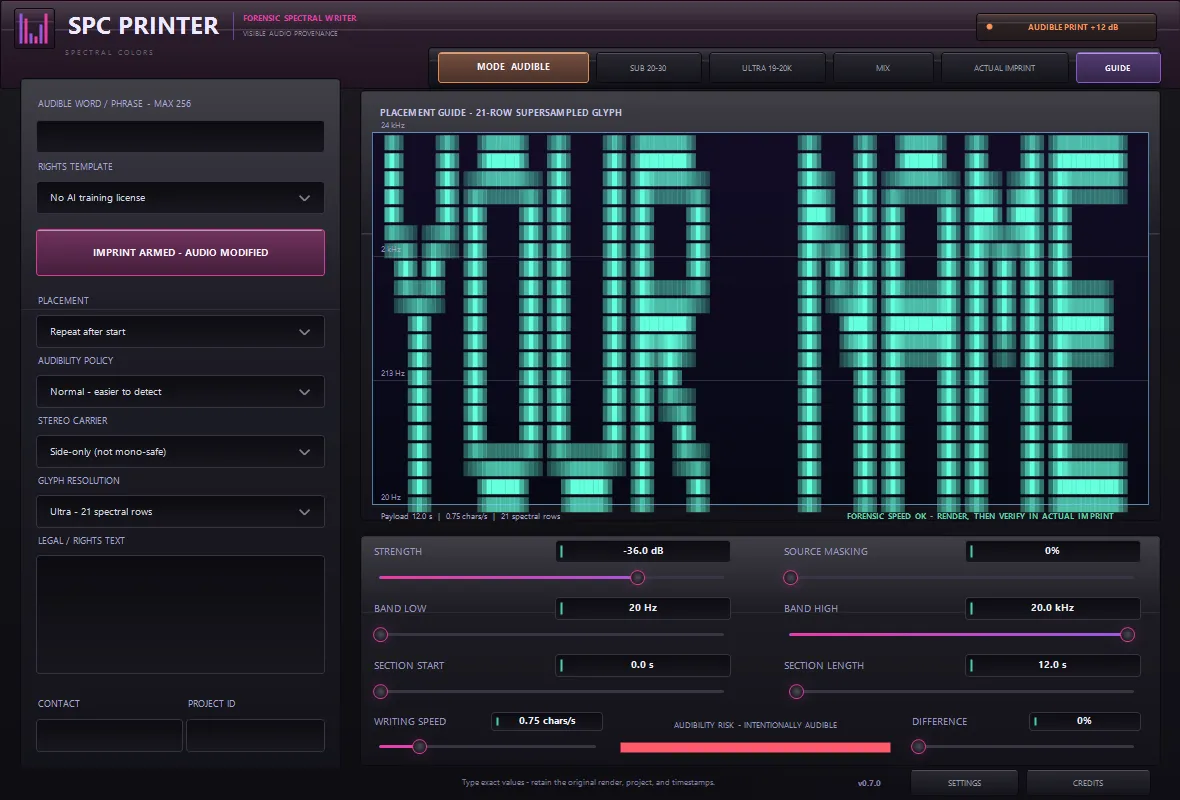
SPC Printer writes your name into the spectrum of a final render — a subtle, spectrogram-visible creator signature carried in real audio, plus saved rights text, contact and project ID stored with the session. The forensic spectral writer draws up to 256 UTF-8 glyphs — full punctuation, accented Latin, and dedicated ©, ℗, ®, ™, currency and music symbols — through a supersampled 21-row glyph carrier, placed exactly where you choose: a band as narrow as SUB 20–30 Hz (with a deliberately slow writer so the mark resolves in a long-window spectrogram) or tucked into ULTRA 19–20 kHz above hearing. Three views keep it honest: Processed Mix, the Placement Guide, and Actual Imprint — computed output-minus-input from the real carrier signal on a 4096-point forensic analyzer, never a decorative mockup. Safe, Normal and Forensic strength policies trade subtlety against robustness, source masking hides the mark in the material, the stereo carrier defaults mono-safe, and a difference preview lets you audit exactly what is added before you commit. Rights templates cover copyright, no-AI-training, written-license and custom legal text. And when subtle isn’t the point, Audible Print mode writes your word across the full spectrum as sound design. A provenance and deterrence tool for the AI era — with honest documentation about what a visible watermark can and cannot guarantee.
Available now — a one-time purchase, yours to keep.
Highlights
- Spectrogram-visible creator signature written into real audio
- Up to 256 UTF-8 glyphs incl. ©, ℗, ®, ™, currency and music symbols
- Actual Imprint view — verified output-minus-input from the real carrier, not a mockup
- 4096-point forensic analyzer with placement guide and difference preview
- SUB 20–30 Hz and ULTRA 19–20 kHz band presets, exact section start/length
- Safe / Normal / Forensic strength policies + source masking, mono-safe by default
- Copyright, no-AI-training, license and custom legal templates saved in the project
- Audible Print mode — your text across 20 Hz–20 kHz as sound design
- Sample-exact passthrough when the imprint is off; zero latency
At a glance
- Format
- CLAP audio effect (64-bit)
- OS
- Windows 10 / 11
- Host
- Any CLAP host — FL Studio 21.2+, Bitwig, Reaper…
- Version
- 0.7.1
Latest updates
Actively developed — recent fixes and improvements:
- Store release hardening — parameter and state handling verified against the official CLAP validator, so every host restores your session identically.
- Audible Print mode, the extended glyph set with legal and music symbols, SUB and ULTRA band presets, and the SPC console with exact typed values.
- The forensic rounds — the Actual Imprint verification view, strength policies, source masking and the supersampled glyph carrier.
Learn the technique
Not sure if this is the tool you need?
These free guides explain the job SPC Printer does — read them first, then decide. No sign-up, no video, just the technique.
Made to be proven
Your signature, printed in the spectrum.
SPC Printer is not a sound-design tool — it is a provenance tool. Run it over a finished render and it writes your name and rights text into the audio itself as a high-resolution frequency/time mark: invisible on a waveform, plain to read in a spectrogram. A forensic analyzer reads a file back and verifies the actual imprint, so you can prove a master came from you long after it has left your hands.
Get SPC PrinterInside the plugin
Click any image to enlarge.