WASAPI, desktop loopback and native ASIO inputs per track.
Hardware clip launcher · Windows · v0.44.1
SPC Lumen Grid
Record hardware synths into a playable scene grid. Loop, crossfade, process, arrange, render stems, and drag finished WAV clips into FL Studio — no DAW required.
Official Microsoft StoreGet it from MicrosoftFree 48-hour trial includedFree complete 48-hour trial · no account or licence key required · projects remain saved.
38live themes
8tracks × 6+ scenes
16slots of CLAP FX
0DAW required
Session view, lifted out of the DAW
SPC Lumen Grid is a standalone Windows clip launcher and looper built for the whole studio. Capture loops from your synths, drum machines and audio interface across WASAPI and native ASIO, launch them as scenes that stay locked to the beat, process each track with real SPC CLAP effects, and hand the results to FL Studio as WAV clips or rendered stems. It performs like hardware and saves like software.
Session view, unchained
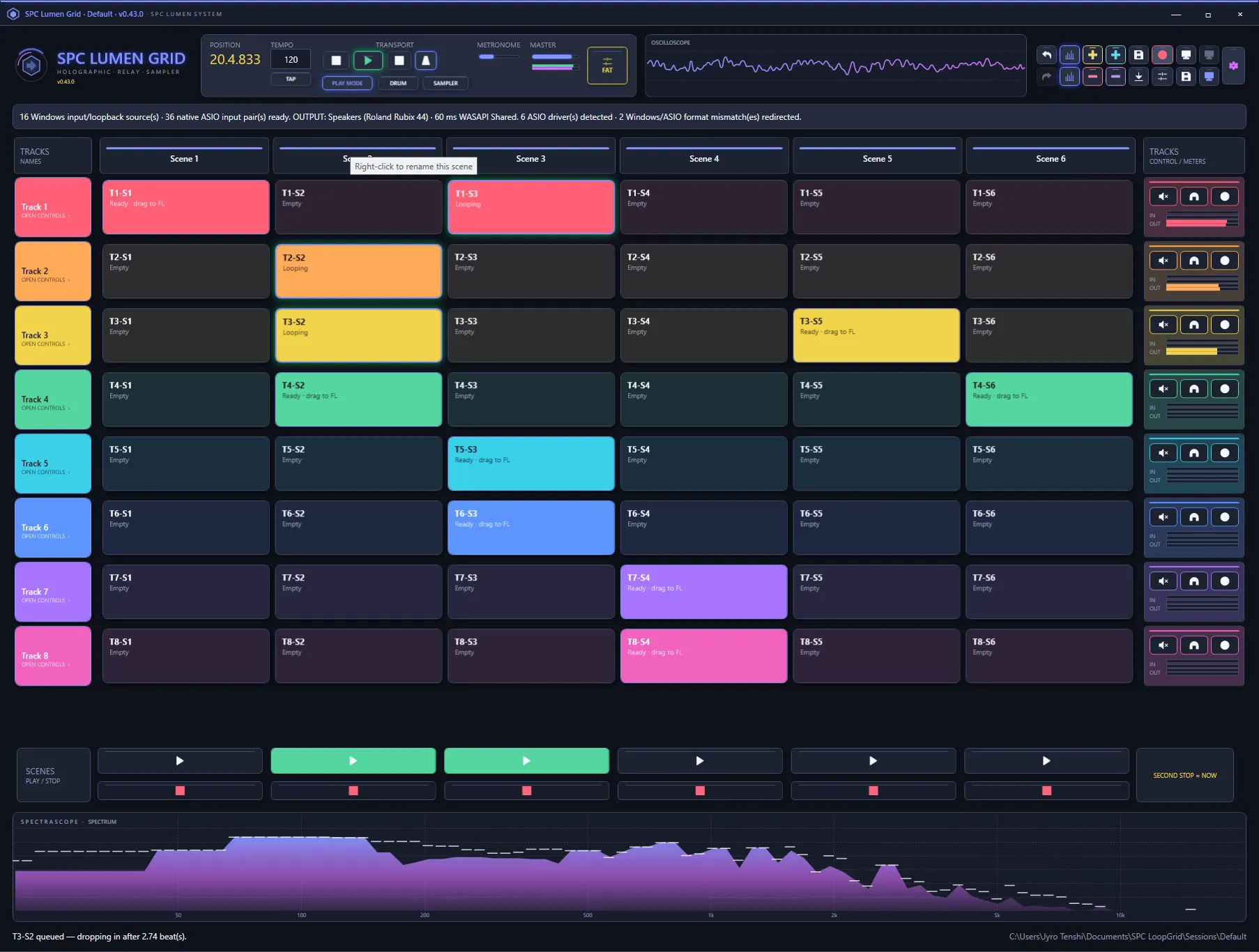
A performable grid for your whole studio
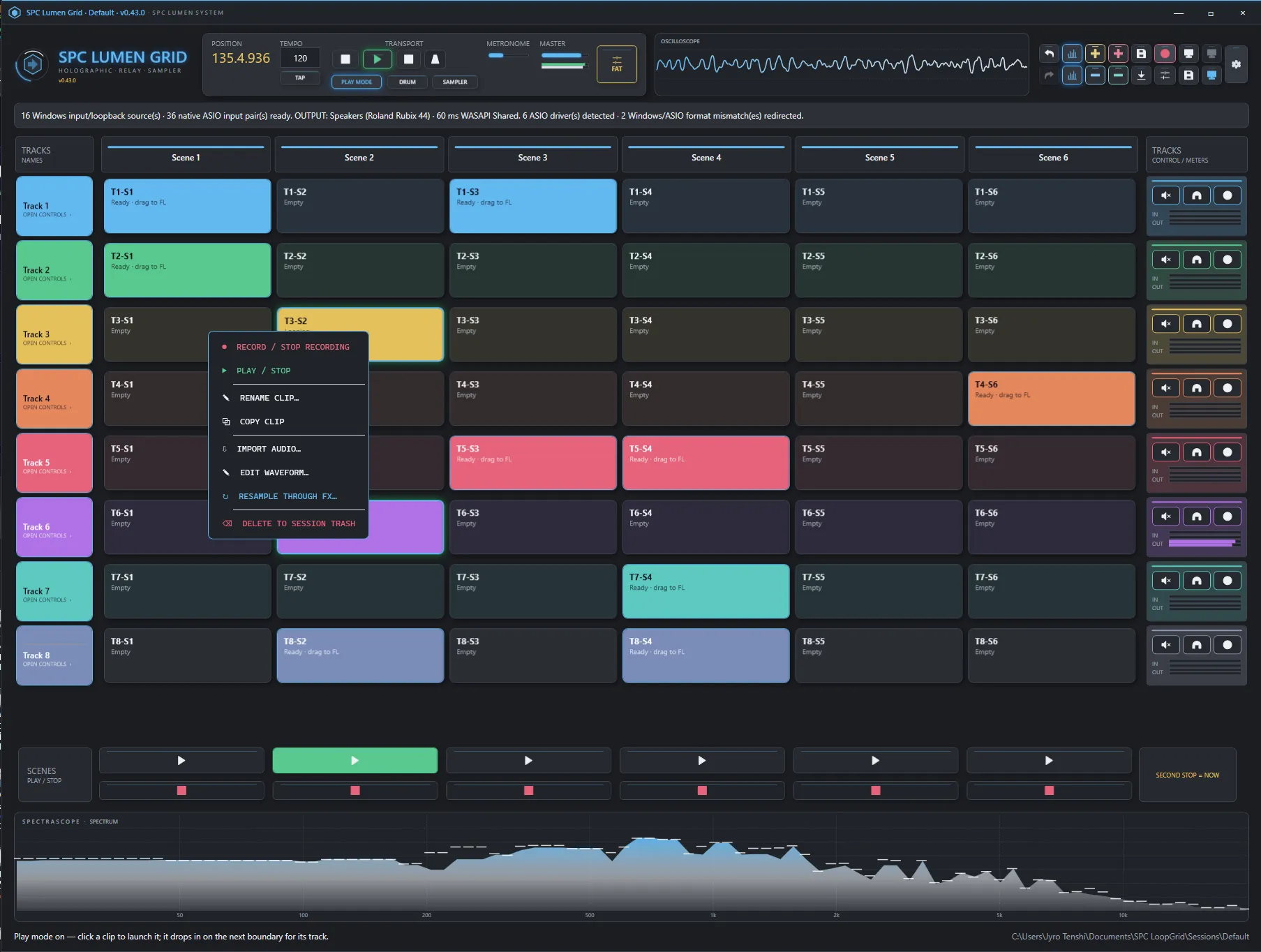
Arm a track, capture a loop from any input, and fire it into a scene. Clips and whole scenes launch quantized to the beat with sample-exact loop-end stops — or an immediate second-press stop. Play mode turns every cell into a launch pad, so the grid plays like hardware instead of a timeline.
Non-destructive, and live
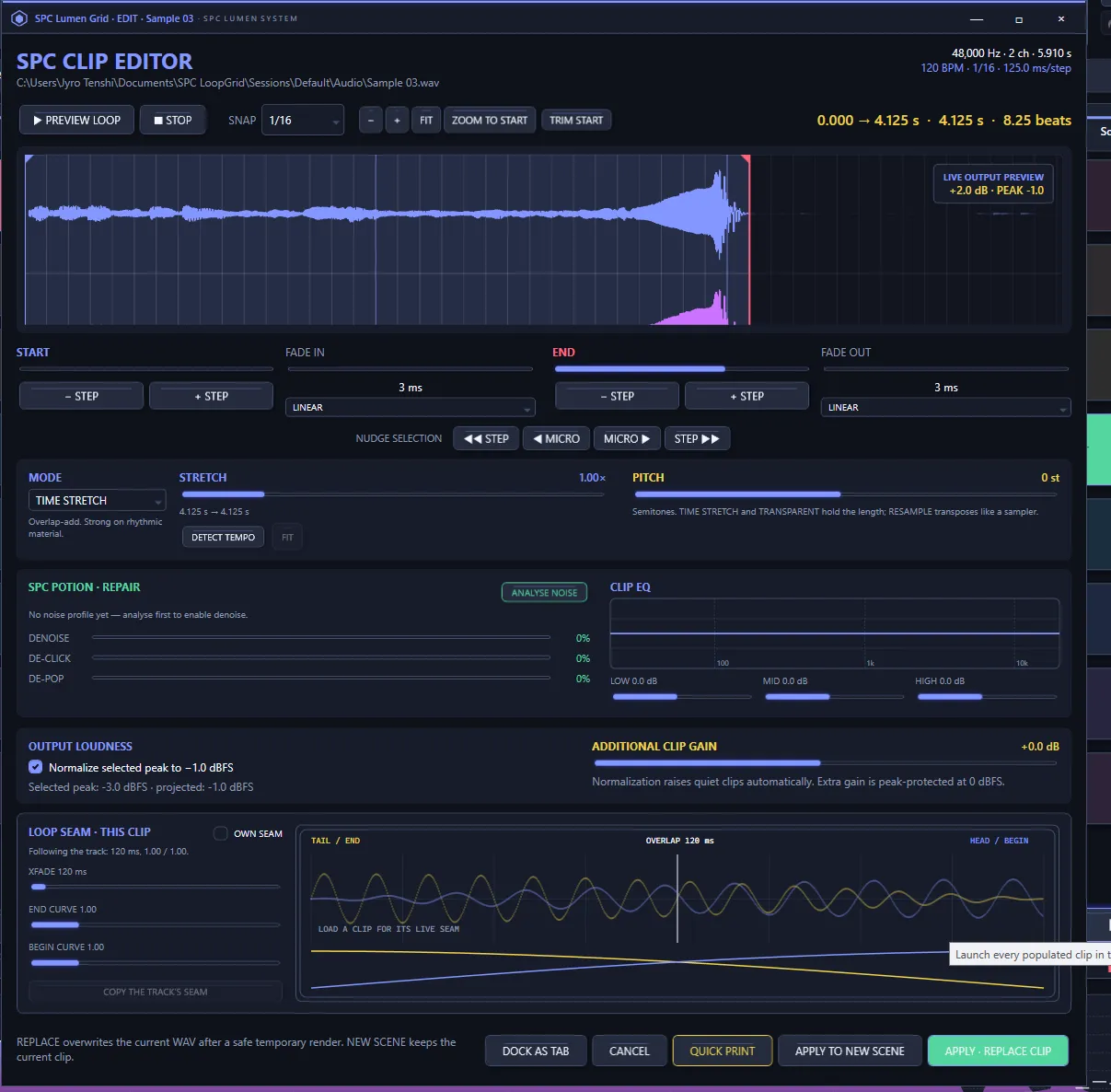
A clip editor that plays what you see
Trim on the tempo grid, draw interactive fade curves, time-stretch or transpose, clean up with denoise, de-click and de-pop, and shape a three-band EQ — all previewed in real time with a playhead running the waveform. Print it into the clip when it sounds right, or apply to a new scene and keep the original.
Real effects, per track
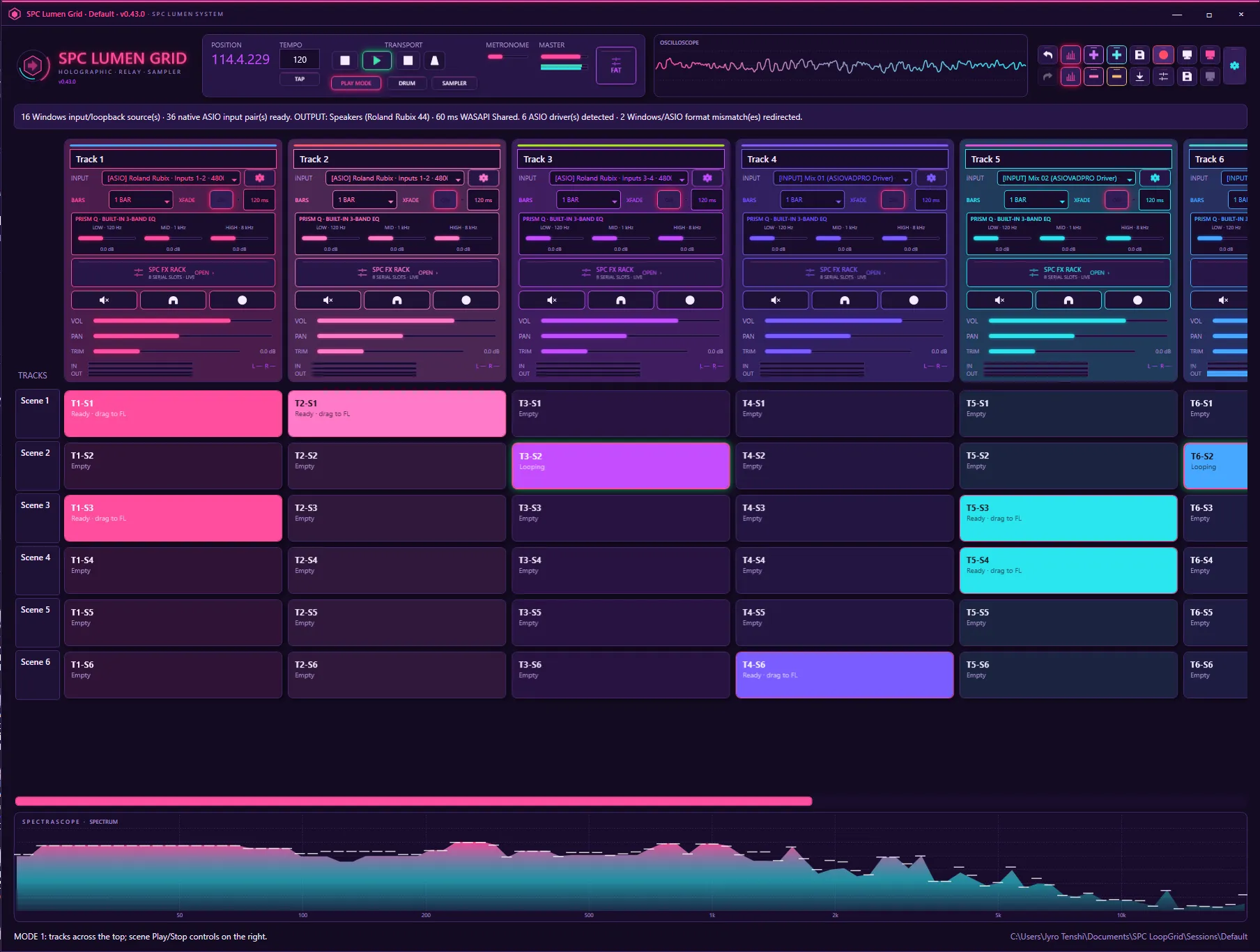
SPC CLAP racks and a FAT MASTER bus
Every track is a full mixer strip: input trim, logarithmic metering, the built-in PRISM Q three-band EQ, a seamless loop-boundary XFADE designer and an eight-slot SPC CLAP effect rack. The summed bus runs through an eight-slot FAT MASTER rack before the output — so the whole Spectral Colors line lives right inside your performance.
Beats, built in
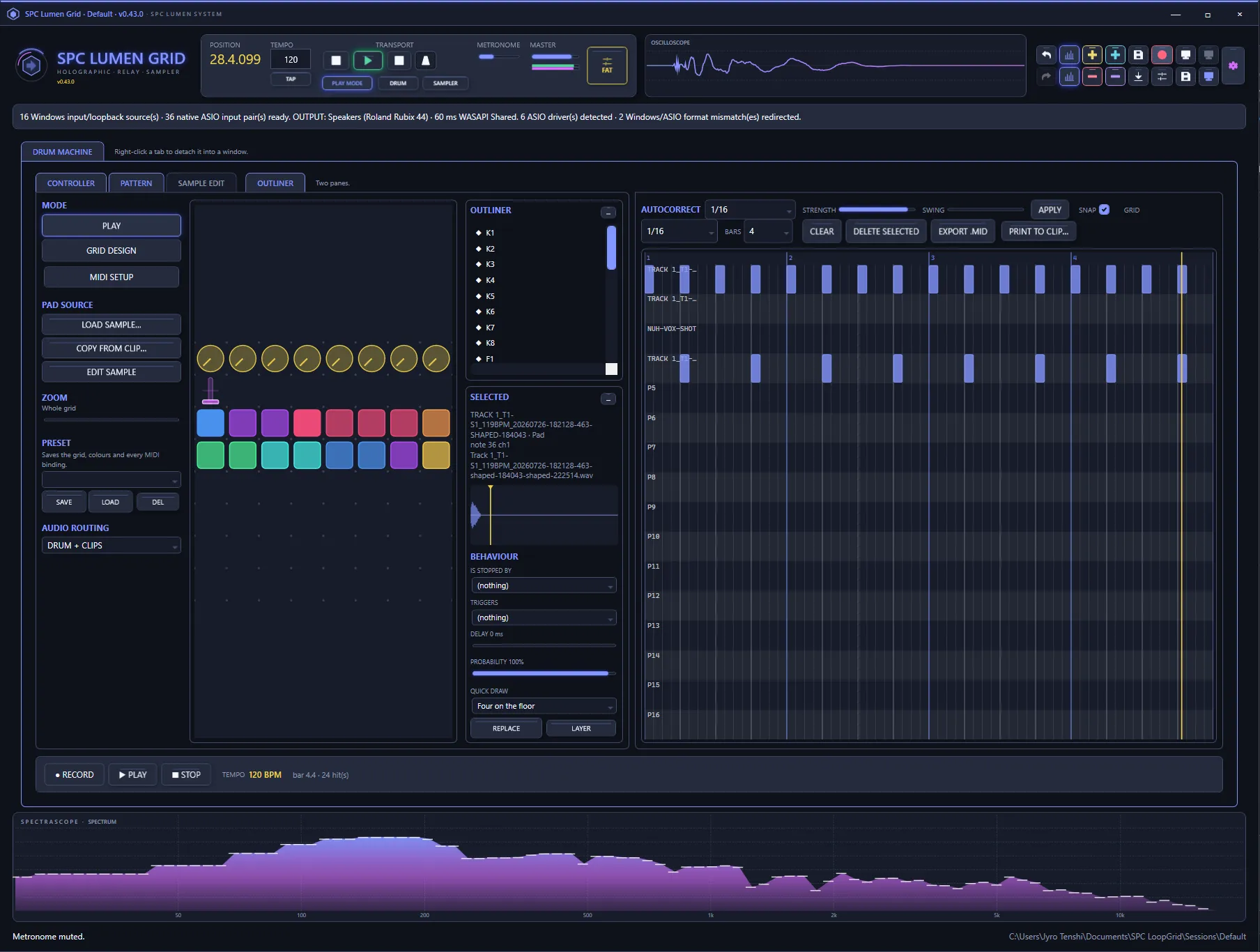
Drum machine with a piano roll
Lay out your own controller grid of pads, knobs and faders, MIDI-learn it to hardware, and record patterns onto a piano roll with autocorrect, strength and swing. Pads play through a 32-voice pool, and a pattern prints straight into a clip or exports as MIDI.
Sample anything
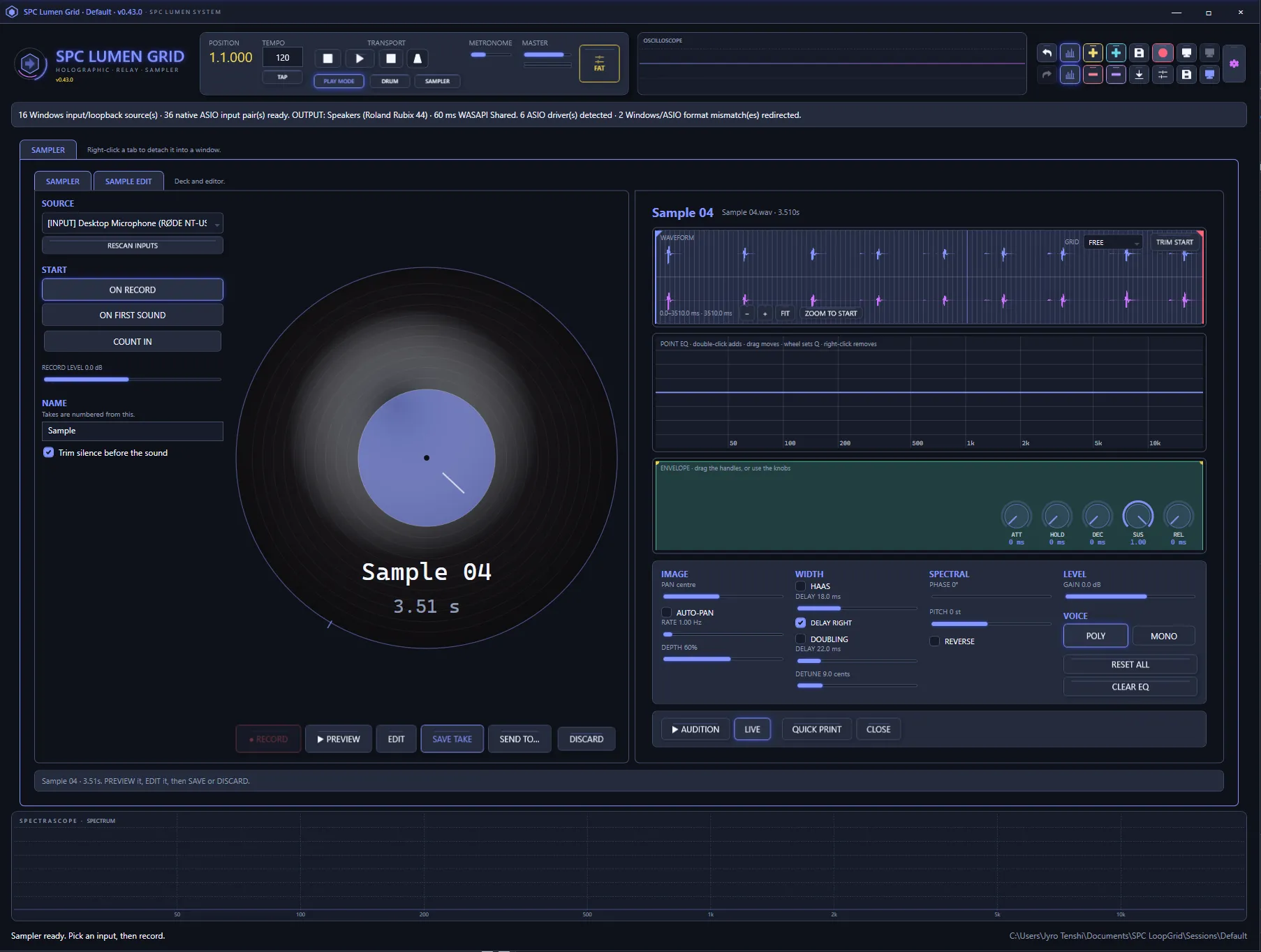
A sampler with a record deck
Record a one-shot from any input straight onto a pad — trim silence, set the envelope, pan, width, spectral tone and pitch, then audition it live. The same waveform editor that shapes clips shapes your samples, so a captured hit is playable in seconds.
38 themes. One click.
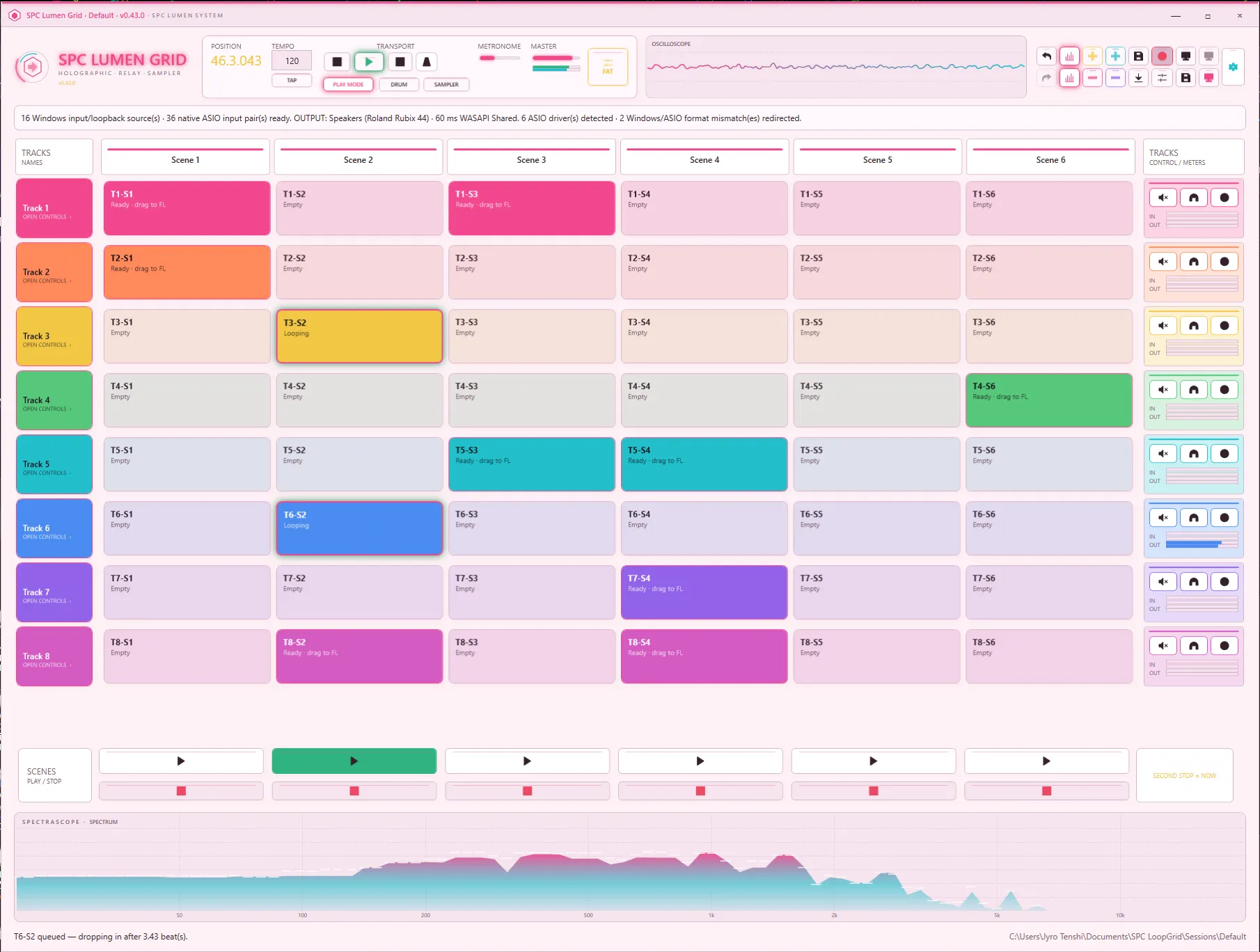
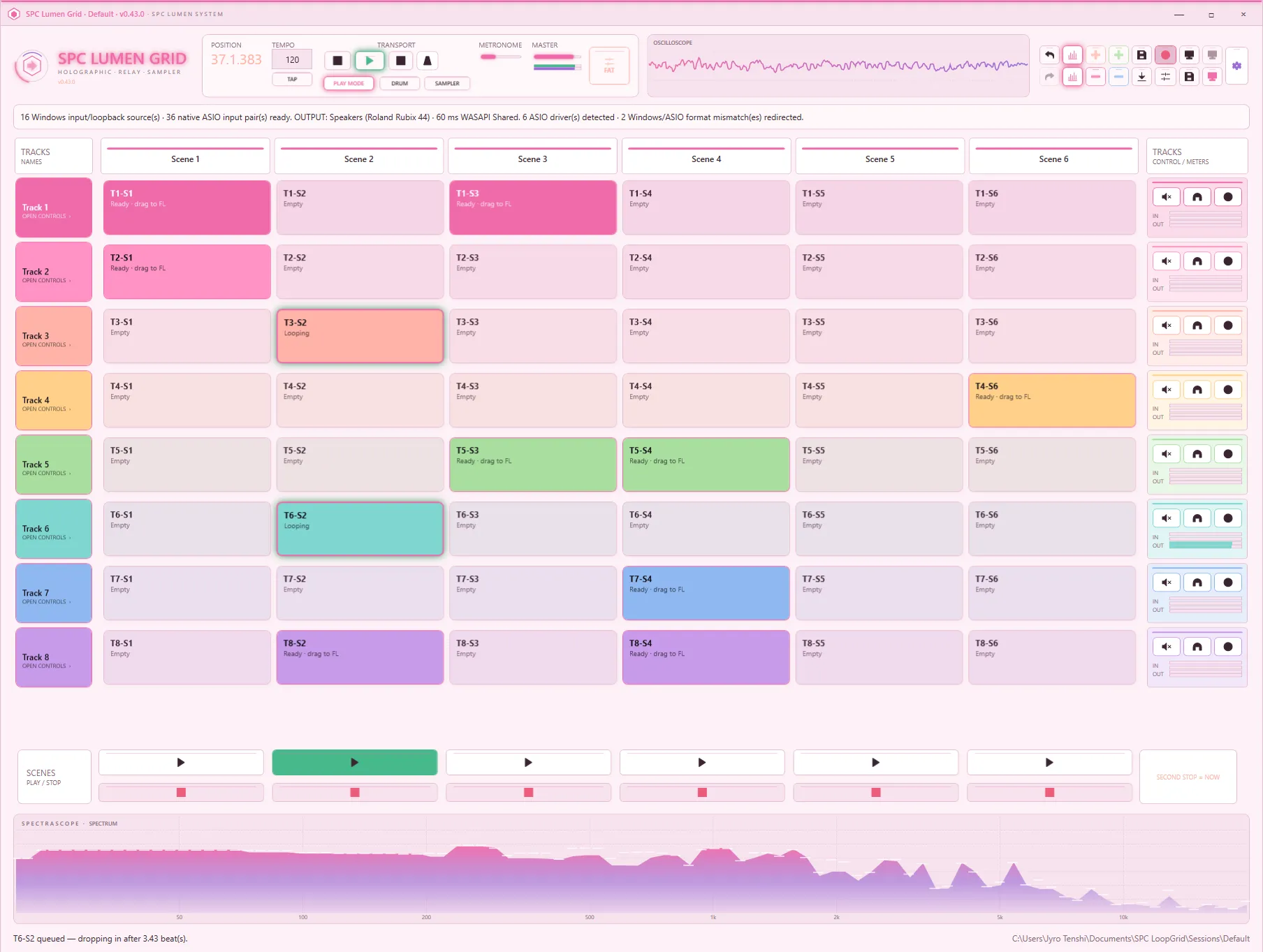
The whole interface re-skins live — windows, controls, meters and the waveform canvas. A SURFACES control switches every palette between flat and moulded. Here are four of the thirty-eight.
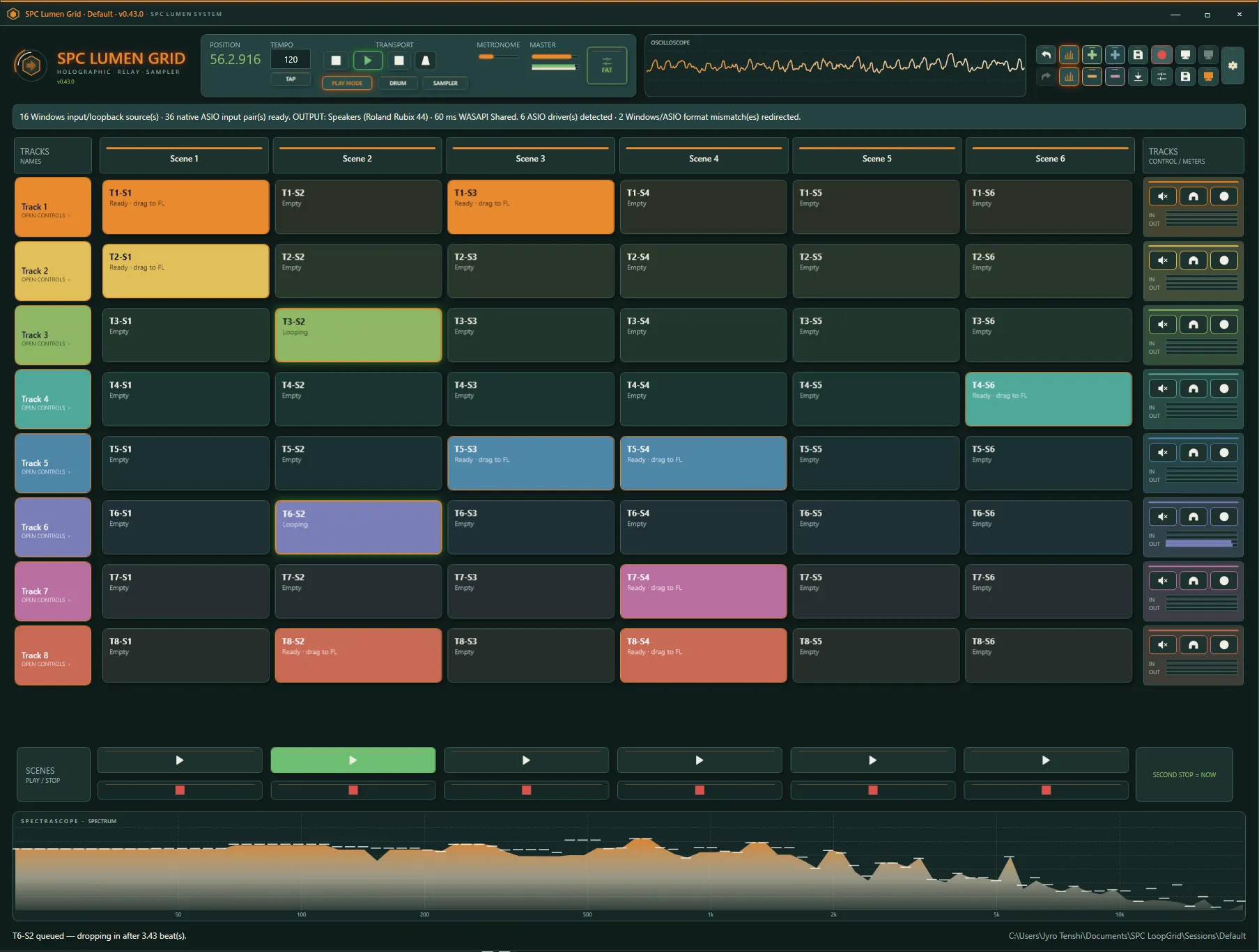
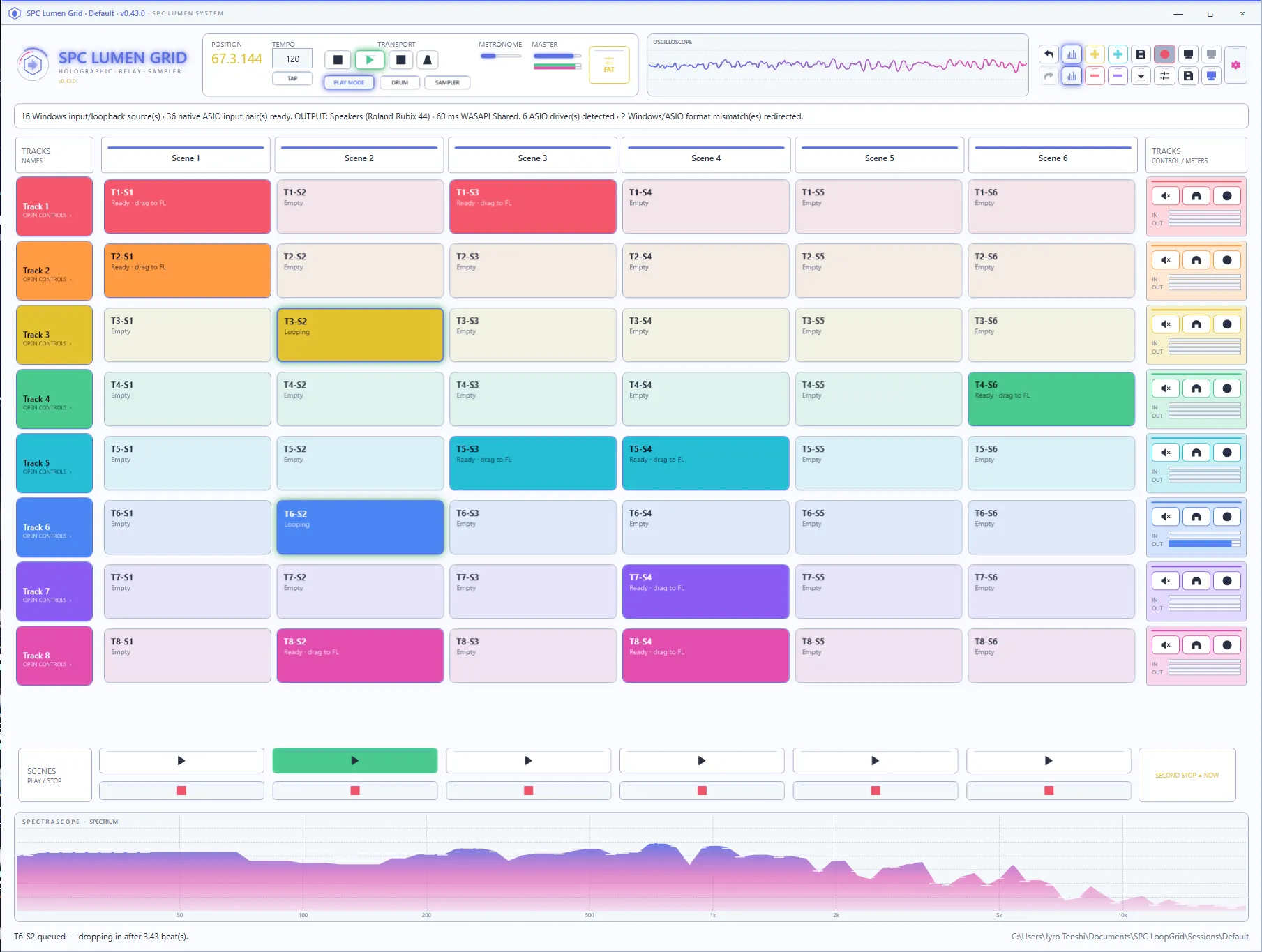
Waveform trimming, normalization and interactive seamless XFADE.
Quantized clips and scenes with standard hardware MIDI Clock.
PRISM Q, eight SPC CLAP slots per track and FAT MASTER effects.
Save sessions, build scene/bar plans and render individual stems.
Drag WAV clips directly from Lumen Grid into FL Studio.
Specifications
FormatStandalone Windows app (self-contained)
OSWindows 10 / 11
AudioWASAPI + ASIO, multi-device
Version0.44.1
Frequently asked
Do I need a DAW to use SPC Lumen Grid?
No. SPC Lumen Grid is a standalone Windows application. It launches clips and scenes, records and loops audio, hosts effects and syncs to hardware entirely on its own. When you want your loops in a project, you drag the finished WAV clips straight into FL Studio or any DAW.
Which audio drivers and devices does it support?
WASAPI shared, Windows desktop loopback and native ASIO inputs — each track can record from a different source through shared per-driver hubs, with automatic format-mismatch redirection. Playback runs through WASAPI shared, and a startup picker lets you choose your output device before the grid loads.
Does it work with FL Studio and other DAWs?
Yes. Any clip can be dragged out as a WAV directly into FL Studio (OLE drag-and-drop) or exported as sample-aligned 48 kHz stems and scene/bar arrangements you can drop into any host.
Can I run my own effects inside it?
Every track has an eight-slot SPC CLAP effect rack, and the summed bus runs through an eight-slot FAT MASTER rack before the output. The built-in PRISM Q three-band EQ sits on every track as well. Effects run live on the audio and can be printed into a clip offline through the exact rack state.
Does it need an internet connection?
Not during the complete 48-hour trial. After purchase, activation is a single online step with a signed Ed25519 licence; after that the app runs fully offline.
What happens when the 48-hour trial ends?
The editor returns to the activation screen, but the current project is saved first. Projects, imported audio and recordings remain on the computer and become available again after activation.
What are the system requirements?
Windows 10 or Windows 11, 64-bit. The app is self-contained, so no separate .NET or VC++ runtime installation is required. A WASAPI or ASIO audio interface is recommended for recording hardware.
How customisable is the interface?
There are 38 built-in themes that re-skin the entire application live — every window, control, meter and the waveform canvas — plus a SURFACES control that switches every palette between flat and moulded. Themes preview as you browse and can be rolled back with one click.
Latest updates
v0.44.1Actively developed — recent fixes and improvements.
- Every window now fits the active monitor at common Windows scaling values, including 1920 × 1080 at 150%.
- Per-Monitor V2 DPI awareness keeps sizing correct when Lumen Grid moves between displays with different scale factors.
- The main command bar and dense editor surfaces remain fully reachable through responsive sizing and scrolling.
- A complete 48-hour first-install trial opens every primary feature without an account or licence key; projects and audio remain saved when the trial ends.
- Project audio is now copied into portable project storage and restored into the grid when a project is reopened or moved.
- Dragging a clip into a DAW supplies a protected copy, stopping the target application from moving the grid source file.
- The expanded Clip EQ supports frequency, gain, Q, extra points, and bell, high-pass, low-pass and tilt filter shapes.
- Track and master CLAP effect slots can be reordered, and SPC Prism Q processing has been validated through the native rack host.
- Sample editors gain explicit keep-playing and stop-on-edit modes, stretched waveforms retain their complete output view, and stopping a recording also stops the metronome.
- The SPC plug-in browser now scans both machine-wide and per-user CLAP locations, including the SpectralColors product folder.
- The installer is per-user and creates the standard per-user CLAP folders on fresh Windows accounts without requesting administrator access.
- The .NET desktop runtime is included, and the native CLAP bridge and editor host use the static MSVC runtime — no separate dependency installers are required.
- Sliders are more responsive and easier to grab: every slider now has a visible handle, a click anywhere on the track jumps straight to that value, and a double-click opens a box to type an exact number.
- The loop-seam crossfade monitor no longer stutters while you drag the XFADE and curve sliders.
- Fifteen more interface themes — 38 in total, ten of them new including Soft Pink, Royal Purple, Holopad, Producer Flat, Studio Orange, Retrowave, Noir Black, Noir White, Ghost and Indigo Neon — plus a SURFACES control that switches every palette between flat and moulded.
- The waveform editor stays smooth full-screen: the display is cached and only the playhead redraws as it plays, so a maximised editor no longer stutters.
- Zooming the waveform with the wheel keeps the selection pins in view instead of throwing them off the edge.
- Drum machine polish — compact P1 / K1 control tags, twenty-three pad colours across the full spectrum, and an invisible spectrum-monitor resize handle.
- A far deeper clip editor: interactive fades with curve shapes drawn on the waveform, whole-selection nudge and micro-nudge, time-stretch, transparent phase-vocoder stretch and sampler-style resampling, ±24 semitone pitch, SPC Potion denoise with de-click and de-pop, a three-band clip EQ, and Quick Print to commit and keep working.
- The editor preview is live — it plays a render of the current edit, so every fade, stretch, repair and EQ move is audible while you make it, with a playhead tracking the waveform.
- SpectraScope monitors in the top bar and a resizable dock under the transport, each switchable between spectrum, oscilloscope and vectorscope from its right-click menu.
- Play mode hides the clip buttons and turns each cell into a launch pad that drops in on the beat.
- Record count-in, clip rename with optional WAV rename and set prefixes and suffixes, and drag-and-drop clip moving.
- The metronome can no longer be recorded — it has its own cue output and never reaches the master bus.
- Fixed crashes when adding and removing tracks and when switching monitor modes; idle CPU cut by roughly a third.
- First stable portable release — quantized scene changes, recording, import, trimming, normalization and FL Studio drag/drop.
- Per-track PRISM Q, seamless loop XFADE designer and eight-slot SPC CLAP racks, plus the FAT MASTER bus rack.
- Standard 24 PPQN MIDI Clock — internal master or follow, multi-output forwarding, Start/Continue/Stop sync.
- Twenty-three full-interface themes and a startup-crash fix from the Preview 45 release candidate.
Bring the session view to your hardware.
Free complete 48-hour trial · €49.99 one-time purchase · Windows 10 / 11 · free updates for a year.